29 May 2008, 01:26 UTC#2,671
yeah im going to be using manual so I want something that I can set without even looking, with the little wheel thingy they are putting on everything now is something I can see being hard to master.
as for 4:3. I captured some HDV footage today and just cut it down to 4:3 which I think I'll be doing from now on. unless there is a way to film HDV in 4:3 anyone know?
29 May 2008, 02:02 UTC#2,672
Im pretty sure for the sony hdr series there a way in the menu settings to do it, not sure though. never tryed it.
29 May 2008, 08:04 UTC#2,673
You can change the HD footage to 4:3 SD in Premiere or After Effects, I don't think there is any way to do it on the camera because they're trying to phase it out.
29 May 2008, 19:27 UTC#2,674
QUOTE(cIRca @ May 29 2008, 10:04 AM)
↑
You can change the HD footage to 4:3 SD in Premiere or After Effects, I don't think there is any way to do it on the camera because they're trying to phase it out.
by change you mean just cut the widescreen side bars off and zoom into a 4:3 frame?
if so that is what im going to do from now on I geuss...is that what you do tom? does any quality loss apear this way?
30 May 2008, 07:48 UTC#2,675
I only conform the footage from 4:3 to 16:9 not the other way around, but when I get home I think I can show you an easy way to do it which will apply the ratio allowing you to then skew the image to the size it's made it. (Never done it the other way around though so I'll have a play about.)
I've zoomed in on shots because you could see the mic in the corner of the frame, this does impair the quality however depending on how much you do it, it can be very very slight so I wouldn't worry that much especially if you're using an HD camera.
30 May 2008, 10:46 UTC#2,676
iv zoomed into SD footage before with abit of noticeible quality loss. but it looks alright on my TV not noticeible really. thats on my standard 4:3 TV. bet it looks like shit on a HDTV
the HC1 isnt very good in lowlight which was a surprise. hows the other models?
and just because this is a screencap thread im having a convo in. heres 2 random caps
External image not preserved — inspect source: http://img56.imageshack.us/img56/951/alfie3ke6.pngExternal image not preserved — inspect source: http://img56.imageshack.us/img56/6670/wonkywindowuq7.png30 May 2008, 11:00 UTC#2,677
QUOTE(ILL-FILMZ @ May 30 2008, 06:46 AM)
↑That's kickass... I now have a new desktop background
30 May 2008, 11:34 UTC#2,678
do you have some kind of badass 640x480 screen?
30 May 2008, 11:35 UTC#2,679
yeah that turned out a sick timelapes. was from my friends bedroom window. I should of filmed in HD, but filmed in SD as I didnt think id be able to capture it..oh well
30 May 2008, 13:50 UTC#2,680
You were fucking lucky to get that timelapse. Well, the caps looks cool.
30 May 2008, 20:17 UTC#2,681
Film in HD and capture convert on the camera (unless that model cant) into SD, the quality is sexy as fuck and there are no dropouts or anything.
Plus from what I can tell the HC3 is the best in low light.
30 May 2008, 22:52 UTC#2,682
hc3 has good low light indeed.
31 May 2008, 01:05 UTC#2,683
QUOTE(jonb @ May 30 2008, 06:52 PM)
↑
hc3 has good low light indeed.
yeah, I have been fooling around it has good lowlight indeed!!!!
31 May 2008, 02:30 UTC#2,684
QUOTE(cIRca @ May 30 2008, 10:17 PM)
↑
Film in HD and capture convert on the camera (unless that model cant) into SD
step by step? iv been capturing HDV and rendering SD widescreen AVI's....takes long
31 May 2008, 12:17 UTC#2,685
I guess when you're running 8GB's of RAM with a quad core with 2 x 8800GTS's SLi'd you tend to overlook speed issues.

But yeah in my opinion it's worth it to convert when capturing, the option is in the pmenu on the camera, right? And are you putting it to 1.422 widescreen or something in AVI? Thats the best option.
31 May 2008, 14:54 UTC#2,686
well iv been editing on this pc for 5years with no upgrades
1.24GHz Processor & 768 MB or RAM
31 May 2008, 15:06 UTC#2,687
Time for a new PC?

31 May 2008, 23:32 UTC#2,688
QUOTE(cIRca @ May 31 2008, 05:06 PM)
↑Time for a new PC?
apserfuckinglutley
my stress levels would plumit
31 May 2008, 23:36 UTC#2,689
:O 1.24 gigahertz?? 768 ram!??
omg webby! how do u manage?
u need to go to a best buy and steal some ram n shit
01 June 2008, 00:39 UTC#2,690
the flight to america to visit a best buy to steal some ram would cost way more than just buying ram.
plus my motherboard can only handel 1gig max
I manage very very very very slowly...but I work with what iv got
01 June 2008, 08:56 UTC#2,691
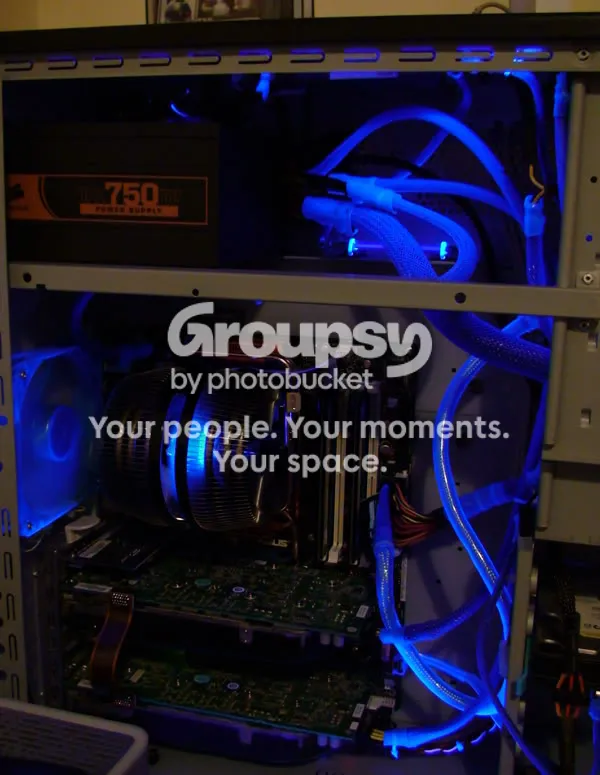
Yeah me too.
01 June 2008, 12:21 UTC#2,692
whats time travel like?
01 June 2008, 13:15 UTC#2,693
It dosnt matter what it's like, his nuts must feel massive with the amount of manlyness his PC grants him.
01 June 2008, 13:23 UTC#2,694
Whatever you say man. Image file not present in the recovered backup
01 June 2008, 13:25 UTC#2,695
01 June 2008, 13:26 UTC#2,696
01 June 2008, 13:30 UTC#2,697
01 June 2008, 13:38 UTC#2,698
01 June 2008, 13:46 UTC#2,699

?
01 June 2008, 13:48 UTC#2,700