23 July 2005, 08:38 UTC#1
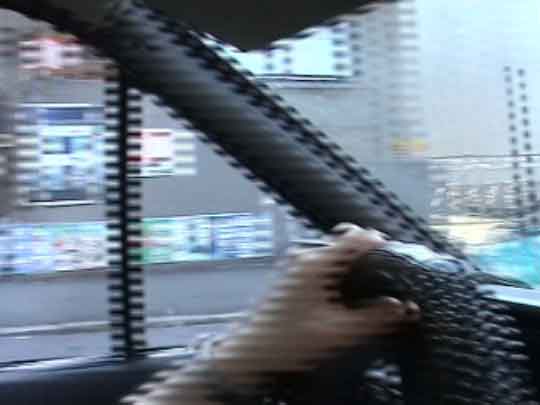
Yup, I would like someone to explain how you deinterlace something you've captured from your mini-dv cam. I understand that it's somekind of a method to compress video by placing two frames on top of each other (am I right?), but it looks shit on the final clip. So please explain this to me and how you deinterlace using Adobe Premiere Pro. Thanks.
If you don't know what I mean, here's a sample pic of an interlaced frame
23 July 2005, 09:18 UTC#2
Right click clip> Feilds> Always De-interlace>
23 July 2005, 09:24 UTC#3
Thanks a lot Elliot! Image file not present in the recovered backup
23 July 2005, 09:25 UTC#4
*closed*
23 July 2005, 10:03 UTC#5
skipper if u close one more thread without being a member of the Fake Mode team I will ban you
23 July 2005, 10:59 UTC#6
QUOTE(dfilm @ Jul 23 2005, 10:03 AM)
skipper if u close one more thread without being a member of the Fake Mode team I will ban you
↑lol , Fake ban me?
23 July 2005, 12:23 UTC#7
QUOTE(dfilm @ Jul 23 2005, 10:03 AM)
skipper if u close one more thread without being a member of the Fake Mode team I will ban you
↑
yeah dude , dont fuck with us
23 July 2005, 15:21 UTC#8
QUOTE(dfilm @ Jul 23 2005, 10:03 AM)
skipper if u close one more thread without being a member of the Fake Mode team I will ban you
↑can I join?
23 July 2005, 15:22 UTC#9
QUOTE(VILLAGEIDIOTS @ Jul 23 2005, 03:21 PM)
QUOTE(dfilm @ Jul 23 2005, 10:03 AM)
skipper if u close one more thread without being a member of the Fake Mode team I will ban you
↑can I join?
↑No

23 July 2005, 15:24 UTC#10
FINE....hmmf
